Home-tv
Home TV is a self-hosted media app I’m building for my own home setup: movies, series, music, playlists, subtitles, cataloguing, recommendations, user activity, and admin tooling in one local-first interface.
Build notes
Home TV is a small self-hosted media server for personal libraries. It catalogs movie, TV, and music folders, streams files with HTTP range support, can start HLS transcodes with ffmpeg, imports Plex library database entries, manages local subtitles, supports music playlists with queue/shuffle playback, and supports direct HTTP(S) imports for media you are allowed to use.
It is intentionally not a torrent or piracy automation tool. Magnet links and .torrent inputs are rejected.
README
Home TV
Home TV is a small self-hosted media server for personal libraries. It catalogs
movie, TV, and music folders, packages all playback as fragmented MP4 HLS,
imports Plex library database entries, manages
downloaded and searched subtitles, supports audio track selection, builds music
playlists with queue/shuffle playback, and supports direct HTTP(S) imports for
media you are allowed to use.
It is intentionally not a torrent or piracy automation tool. Magnet links and.torrent inputs are rejected.
Preview
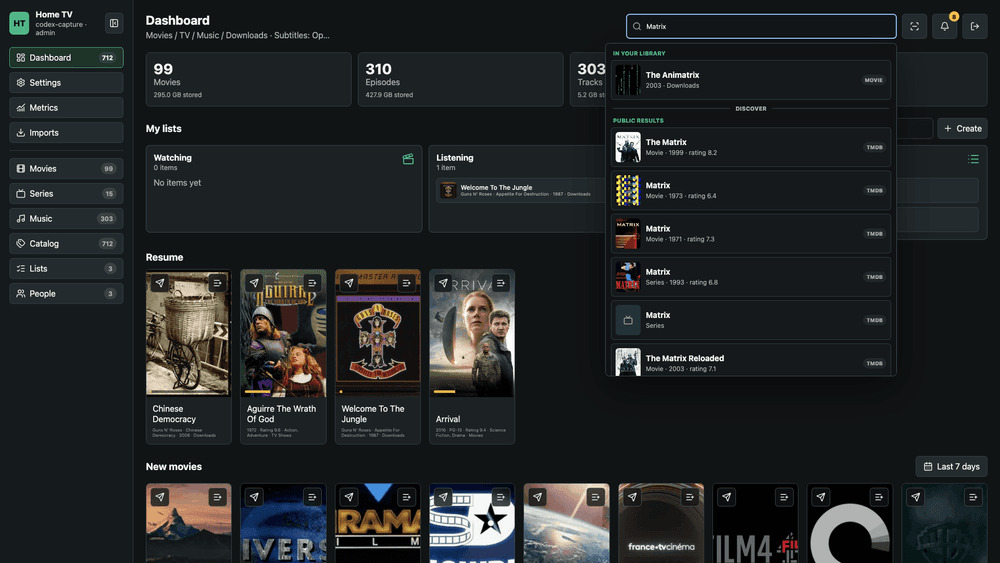
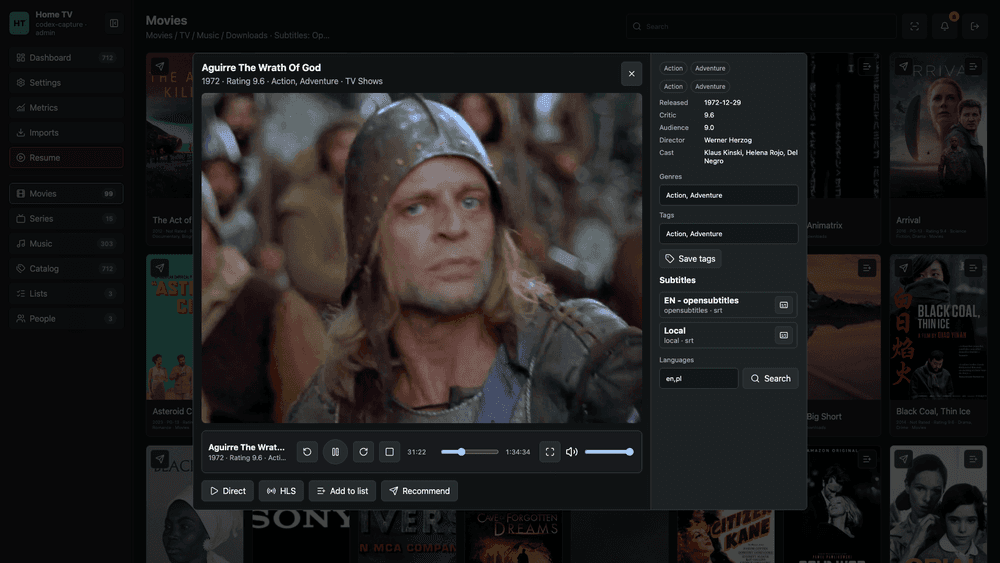
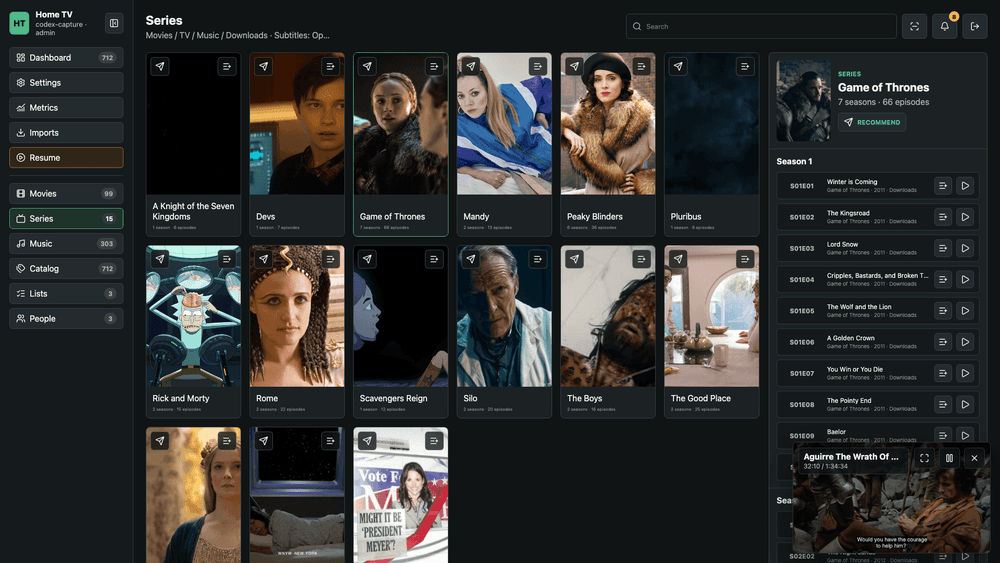
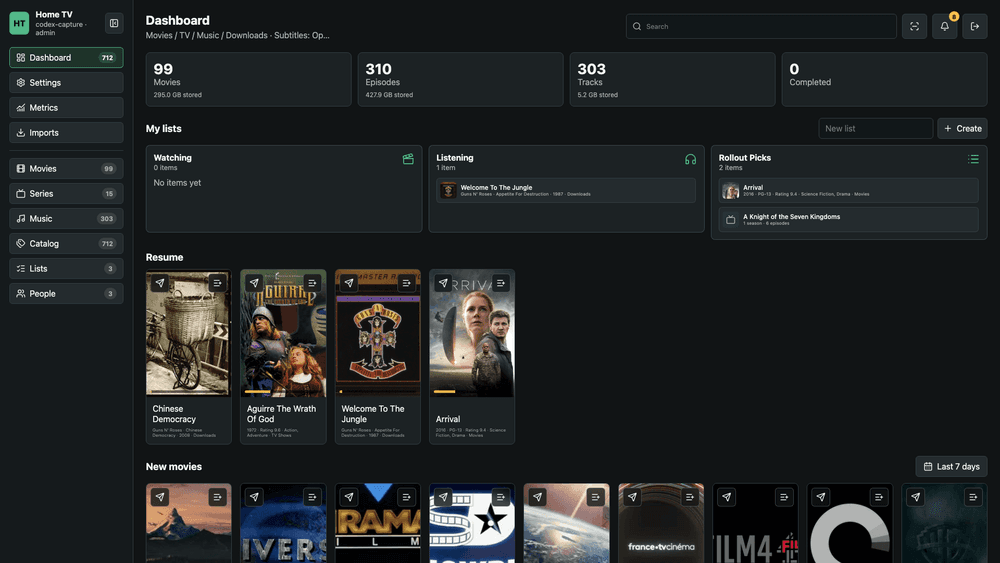
The screenshots below were captured from a live Home TV deployment with a real
library connected.
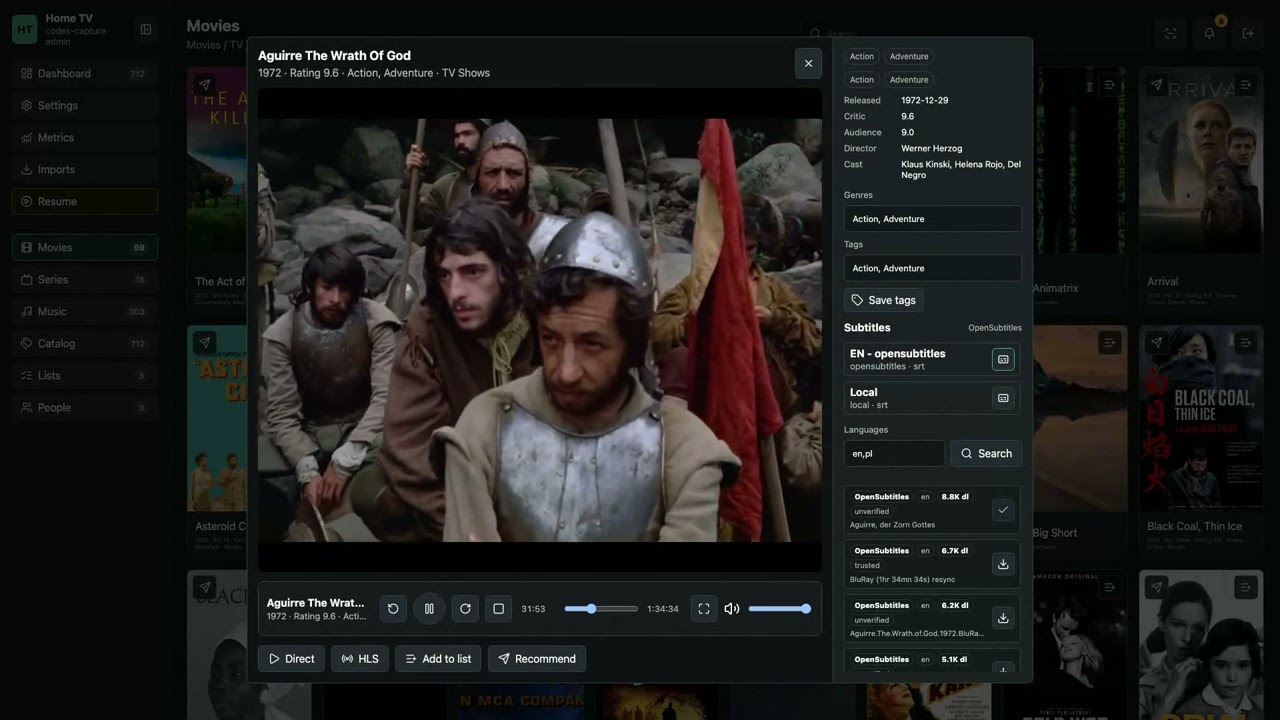
Watch the narrated overview on YouTube.


More rollout screenshots are available indocs/media/screenshots.
1.0 feature set
- Responsive library browsing for movies, series, music, downloads, lists,
people, catalog filters, metrics, and settings. - Opt-in Live TV with M3U/IPTV sources, 100+ public iptv-org presets, channel
search and facets, live HLS playback, and administrator-owned configuration. - Localized UI with user-selectable English, Polish, German, French, Italian,
Spanish, Chinese, and Japanese labels. - Background library scans with progress toasts, duplicate cleanup, subtitle
discovery, album reconciliation, generated artwork tracking, and atomic
publishing so the existing catalog remains browsable while a scan runs. - AI recommendations for movies, series, and music using user taste notes,
watched/listened history, lists, and the current library. - Admin metadata cleanup powered by an OpenAI-compatible chat completion API,
including per-title cleanup, queued cleanup actions, batch cleanup APIs,
verbose logs, and artwork/synopsis refresh after labels are cleaned. - AI list and temporary music playlist creation with refinement before commit.
- Subtitle manager with downloaded subtitles, provider search, ranked best
matches, immediate activation after download, and OpenSubtitles/SubDL support. - Custom playback controls with keyboard/mouse handling, fullscreen behavior,
next/previous queue controls, subtitle selection display, and selectable audio
tracks when media exposes multiple tracks. - Social features for friends, recommendations, shared activity/taste privacy,
user profiles, avatars, notifications, and user feedback. - Admin pages for feedback, movie requests, metrics, imports, and metadata
cleanup, with resolved/handled previews where applicable. - API tokens, Swagger/OpenAPI access, and MCP tools for list management,
preferences, AI recommendation, and admin movie-request review.
Local run
python3 -m venv .venv
source .venv/bin/activate
pip install -e ".[test]"
cp .env.example .env
make run
Open http://localhost:8099, register the first account, then scan libraries.
Account recovery and email notifications
Home TV can send email through Resend's HTTPS API or an authenticated SMTP
server. Password-reset and address-verification links are one-time, expiring
tokens; reset requests do not reveal whether an account exists. Successful
password changes revoke that user's sessions and API/worker tokens. Delivery
uses a SQLite-backed outbox, so queued messages survive restarts and transient
provider failures.
For a public deployment, use a transactional provider and a sender on a domain
you control. Resend is the simplest setup:
HOME_TV_PUBLIC_URL=https://hometv.example.com
HOME_TV_MAIL_PROVIDER=resend
HOME_TV_MAIL_FROM='HomeTV <notifications@example.com>'
RESEND_API_KEY=re_...
For a small private installation, Gmail SMTP also works with an app-specific
password. A separate Gmail account is optional, but preferable to using a
personal mailbox because it isolates credentials and sending history:
HOME_TV_PUBLIC_URL=https://hometv.example.com
HOME_TV_MAIL_PROVIDER=smtp
HOME_TV_MAIL_FROM='HomeTV <home-tv-automation@gmail.com>'
HOME_TV_SMTP_HOST=smtp.gmail.com
HOME_TV_SMTP_PORT=587
HOME_TV_SMTP_USERNAME=home-tv-automation@gmail.com
HOME_TV_SMTP_PASSWORD=app-specific-password
HOME_TV_SMTP_STARTTLS=true
HOME_TV_SMTP_SSL=false
Do not commit provider keys or SMTP passwords. After deployment, add and verify
an address in Settings, then enable notification email. console is available
as a development-only provider; it records delivery without sending mail.
Live TV and IPTV
Live TV is off by default. An administrator can enable it in Settings → Live
TV, then add one or more baked public presets or a custom HTTP(S) M3U playlist.
The preset catalog includes worldwide collections plus category, language, and
country playlists from iptv-org, a community
collection of publicly available channels. Stream availability, rights, and
geo-restrictions remain the responsibility of the configured source and the
server operator.
Home TV caches channel guides and proxies HLS manifests, renditions, encryption
keys, and media segments through authenticated same-origin endpoints by default.
This avoids common browser CORS failures and keeps playlist target URLs out of
the channel API. Private and loopback hosts are blocked unless an administrator
explicitly enables private-network IPTV for a trusted LAN tuner or playlist
server. Disable the proxy only when every configured stream already supports
browser playback and cross-origin requests directly.
Backend event log
Admin backend events are shown in the Events page and persisted as daily JSONL
files under HOME_TV_DATA_DIR/events/backend-events-YYYY-MM-DD.jsonl. The UI
loads logs by date so scans, metadata cleanup, and playback conversion activity
remain reviewable after a restart or redeploy.
HLS media processing
Playback is HLS-only. A library scan probes every source with ffprobe, stores
the inspectable stream metadata, and queues background packaging. Playback HTTP
requests never run FFmpeg and source files are not exposed through a streaming
route.
Each title is published as one immutable, versioned VOD package containing a
master playlist, one shared video rendition, separate audio renditions for every
language, and WebVTT subtitle renditions. Video and audio decisions are
independent: compatible H.264 with safe keyframe spacing is copied, compatible
AAC-LC is copied, and only incompatible streams are encoded. High-bit-depth,
interlaced, legacy-codec, or poorly fragmented video becomes H.264/yuv420p;
FLAC, AC-3, DTS, TrueHD, Opus, and other incompatible audio becomes AAC.
Packages use four-second fragmented MP4 segments and independent segment
signaling. FFmpeg writes into an isolated processing directory; Home TV checks
all playlist references and probes the generated streams before atomically
publishing the version. Existing playback sessions therefore continue using
their original version during a rebuild.
Processing uses a bounded worker pool so browsing remains responsive. Tune it
with HOME_TV_PLAYBACK_CONVERSION_WORKERS andHOME_TV_PLAYBACK_FFMPEG_THREADS. HOME_TV_HLS_X264_PRESET (defaultveryfast) and HOME_TV_HLS_X264_CRF (default 20) control the video encoder
only when the source actually requires video transcoding.
Using another computer as a conversion worker
Home TV can lease queued HLS jobs to another computer without sharing its
SQLite database. The remote worker reads source media through local mounts,
converts in local scratch space, and uploads only a complete immutable package
to transcodes/.remote-processing. The server validates that package, checks
that the source and plan did not change, and atomically publishes it. Expired
leases are automatically requeued, so sleep, network loss, and a server
redeploy do not strand unfinished work.
On the server, sign in as an admin and create a Conversion worker token in
Settings → API access. On the Mac, mount the fast share at /Volumes/fast
(Movies, TV, Music, and home-tv beneath it) and the bulk share at/Volumes/bulk1 (downloads and the bulk-backed home-tv/transcodes beneath
it). To use only remote workers on the server, setHOME_TV_PLAYBACK_CONVERSION_WORKERS=0; jobs remain durably queued for remote
claims. For an interactive smoke test, run from this checkout:
export HOME_TV_WORKER_TOKEN='htw_copy-the-token-here'
python -m hometv.worker \
  --server https://hometv.home \
  --concurrency 2
The Mac defaults match those mount points. Use repeated--map /server/prefix=/local/path options for different mounts and--publish-root for a different shared transcode directory. Add --insecure
only for a temporary diagnostic; production should use a trusted certificate orHOME_TV_WORKER_CA_FILE. --once is useful for a one-job smoke test. SIGINT
and SIGTERM drain the worker: active
leases finish packaging and publication, while no new jobs are claimed. The
worker never opens or modifieshome-tv.sqlite and never writes current.json.
For a persistent macOS worker, install the versioned CLI in an isolated virtual
environment and manage it with launchd:
export HOME_TV_WORKER_TOKEN='htw_copy-the-token-here'
make worker-install
# Edit ~/.config/home-tv/worker.env for server URL, mounts, concurrency, and disks.
make worker-doctor
make worker-restart
make worker-status
make worker-up, worker-down, worker-logs, and worker-uninstall provide
the remaining lifecycle operations. The installer keeps the token and stable
worker identity in mode-restricted files under ~/.config/home-tv; uninstall
preserves them unless the uninstall script is called with --purge. Before
claiming work, the worker validates FFmpeg/FFprobe, server protocol, every path
mapping, scratch free space, TLS, credentials, and the shared publication
volume identity. Registered workers, versions, capabilities, last contact, and
active jobs are visible to admins in Settings → Conversion workers.
Set HOME_TV_TRANSCODE_DIR on the server when immutable HLS packages should
live on a different volume from the database and artwork. Remote workers must
use the same shared directory via --publish-root (the Mac default is/Volumes/bulk1/home-tv/transcodes); staging and final packages must remain on
one filesystem so publication can stay atomic.
Playback regression tests
The normal pytest suite includes FFmpeg-backed playback contract tests. They
exercise remux and transcode plans, multilingual master playlists, audio-only
HLS, text subtitles, sparse keyframe handling, atomic publication, immutable
HTTP delivery, and independently decodable browser-safe segments:
make test
For full browser playback coverage, install the optional Selenium dependency and
run the opt-in e2e suite. It opens the real UI, starts playback, performs
multiple seek operations, verifies frames advance, and checks subtitles remain
selected after seeking:
pip install -e ".[test,playback-e2e]"
make playback-e2e
The e2e target defaults to Chrome because Selenium Manager can install/manage
Chrome for Testing in headless mode on supported developer and CI machines. Usemake playback-e2e PLAYBACK_E2E_BROWSER=firefox ormake playback-e2e PLAYBACK_E2E_BROWSER=safari when the matching browser
automation driver is available.
To run the browser suite against a local media file that should not be committed
to the repo, pass it as PLAYBACK_E2E_SOURCE:
make playback-e2e PLAYBACK_E2E_SOURCE="/path/to/problem-title.mkv"
The browser fixture packages the source before playback, then verifies that the
master playlist starts, native HLS seeking lands at multiple positions, decoded
frames advance, and subtitle selection remains active.
Docker
make build
docker run --rm -p 8099:8099 \
  -e HOME_TV_SECRET_KEY=change-me \
  -v "$PWD/data:/data" \
  -v "/path/to/Movies:/data/movies:ro" \
  -v "/path/to/TV:/data/tv:ro" \
  -v "/path/to/Music:/data/music:ro" \
  home-tv:local
After the first run or library path changes, run a scan from the UI. A scan
catalogs new files, discovers sidecar subtitles, imports music covers from album
folders, reconciles albums, and marks duplicate movie rows so they do not appear
as duplicate cards.
API and MCP access
Authenticated users can create API tokens from Settings -> API access. Tokens
are shown only once when created, can be revoked from the same settings panel,
and work as bearer tokens:
curl -H "Authorization: Bearer htv_your_token" http://localhost:8099/api/lists
The OpenAPI schema is available at /openapi.json, and the Swagger UI is linked
from settings as /api/docs (redirecting to /docs). Token-authenticated API
access supports normal user list management endpoints such as /api/lists,/api/lists/{list_id}, and /api/lists/{list_id}/items. Admin tokens can also
read and update movie requests through /api/admin/movie-requests, run metadata
cleanup through /api/admin/metadata-cleanup, and inspect the catalog through/api/admin/catalog, /api/admin/catalog-json, and /api/admin/catalog/search.
MCP clients can use the /mcp endpoint with the same bearer token. The endpoint
accepts JSON-RPC requests over HTTP and exposes tools for list management plus
admin-only movie request review:
curl -H "Authorization: Bearer htv_your_token" \
  -H "Content-Type: application/json" \
  -d '{"jsonrpc":"2.0","id":1,"method":"tools/list","params":{}}' \
  http://localhost:8099/mcp
Available MCP tools include list_lists, get_list, create_list,delete_list, add_list_item, remove_list_item, set_media_preference,ai_recommend_movie, list_movie_requests, and update_movie_request. Movie
request admin tools require an admin token.
Users can score movies from 1-10 and mark titles as seen from the movie detail
view or through PUT /api/media/{media_id}/preference. When AI is configured,
the settings page exposes movie/series and music taste description fields.
Movie, series, and music sections show scoped AI recommendation buttons that ask
the configured OpenAI-compatible model for a library title using the user's
taste, watched or listened history, lists, and section-specific candidates.
Admins can also use AI cleanup endpoints to normalize media labels and refresh
metadata/artwork.
Useful environment
HOME_TV_SECRET_KEY: required in production.HOME_TV_PUBLIC_URL: externally reachable HTTPS origin used in action links.HOME_TV_MAIL_PROVIDER:resend,smtp,console, ordisabled(default).
Resend requiresHOME_TV_MAIL_FROMandRESEND_API_KEY; SMTP requiresHOME_TV_MAIL_FROM,HOME_TV_SMTP_HOST,HOME_TV_SMTP_PORT,HOME_TV_SMTP_USERNAME, andHOME_TV_SMTP_PASSWORD.HOME_TV_ADMIN_USERS: optional comma-separated usernames that should be
promoted to admin on startup/login/registration. The first registered user is
still admin by default. Direct imports, metadata cleanup, metrics, feedback
review, and request handling are admin-only; basic library scans are available
to authenticated users.HOME_TV_DATA_DIR: app database, posters, subtitles, and transcode cache.HOME_TV_MOVIES_DIR,HOME_TV_TV_DIR,HOME_TV_MUSIC_DIR: library roots.HOME_TV_DOWNLOADS_DIR: direct import target.HOME_TV_SUBTITLES_DIR: optional external subtitle store.HOME_TV_PROBE_ON_SCAN: probe every discovered source before planning HLS;
defaults totrueand should remain enabled for HLS-only playback.HOME_TV_AUTO_QUEUE_PLAYBACK_CONVERSIONS: queue missing or stale HLS packages
after scans and recover unfinished work at startup; defaults totrue.HOME_TV_PLAYBACK_CONVERSION_WORKERS: concurrent title packages; defaults to1to avoid saturating a small server. Set it to0for remote-only
processing without starting local conversion threads.HOME_TV_PLAYBACK_FFMPEG_THREADS: FFmpeg threads per video encode; defaults to
up to4host cores.HOME_TV_WORKER_LEASE_SECONDS,HOME_TV_WORKER_HEARTBEAT_SECONDS: remote
worker lease and renewal timing; defaults to120and20seconds.HOME_TV_WORKER_MAX_ATTEMPTS: maximum automatic attempts before a conversion
remains failed for admin review; defaults to3.HOME_TV_HLS_X264_PRESET,HOME_TV_HLS_X264_CRF: H.264 encoder speed/quality
controls used only when video cannot be safely copied; defaults toveryfast
and20.HOME_TV_PLEX_CONFIG_DIR: Plex config root for database discovery.HOME_TV_PLEX_DB_PATH: explicit Plex SQLite database path.OPENSUBTITLES_API_KEY,OPENSUBTITLES_USERNAME,OPENSUBTITLES_PASSWORD:
optional OpenSubtitles credentials. The API key enables provider access;
username/password are needed for the login token flow used by authenticated
downloads.SUBDL_API_KEY: optional SubDL subtitle search/download credential.OMDB_API_KEY: optional metadata credential. When set, Plex import also asks
OMDb for IMDb/Rotten Tomatoes/Metacritic-style ratings and stores them on the
media row. Without it, Home TV displays the critic/audience ratings already
imported from Plex.TMDB_API_KEYorTMDB_READ_ACCESS_TOKEN: optional but recommended for
public movie/series discovery in the global search dropdown. When absent,
Home TV falls back to OMDb/iTunes for movies and TVmaze for series.HOME_TV_MUSICBRAINZ_ENABLED: optional public music discovery toggle.
Defaults totrue; MusicBrainz is used for remote album search instead of
iTunes.MUSICBRAINZ_USER_AGENT: optional MusicBrainz user agent string. Set this to
identify your deployment if you publish or share the service.HOME_TV_TVMAZE_ENABLED: optional TV episode metadata toggle. Defaults totrue; scans use TVmaze to replace filename-derived episode labels when a
show, season, and episode number can be matched.AI_API_URL,AI_API_KEY,AI_API_MODEL: optional OpenAI-compatible chat
completion endpoint, bearer key, and model name. When all three are set,
Home TV enables taste settings and AI recommendations for movies, series, and
music, AI list creation, and admin metadata cleanup.AI_API_TIMEOUT_SECONDS: optional AI chat completion timeout. Defaults to90; increase it if metadata cleanup batches hit provider read timeouts.
Home-tv